Favicons Next to External Links, Automatically
Look at the links in this post. Each one has the icon of the site it points to, like  MDN or
  GitHub. You know where a link goes before you click it.
I wanted that on every article and TIL here, without touching the Markdown. So I built  rehype-link-favicons.
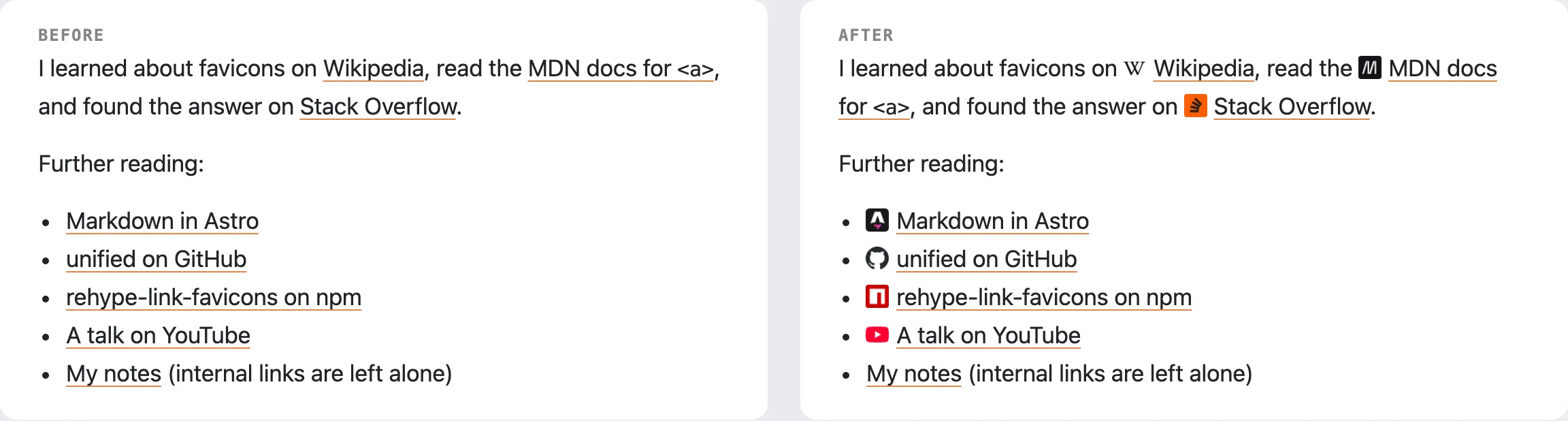 Before and after. Internal links are left alone.
The Quick Trick, and Why I Didn’t Use It
Google has an undocumented endpoint that returns any site’s favicon:
https://www.google.com/s2/favicons?domain=dev.to&sz=32Put that in an <img> next to each link and you are done. Except every reader’s browser now makes a request to Google for every link on the page. That is a tracking pixel I don’t want on my blog, and the icons break the day the endpoint changes.
Download Once, at Build Time
The plugin runs while the site builds. For each external link it:
- Fetches the icon from Google, falling back to DuckDuckGo.
- Caches it on disk, so the next build makes no requests.
- Embeds it in the page as a data URI.
Readers only download the page. If a site has no icon or the network is down, the link stays plain and the build carries on.
Using It in Astro
Astro 7 surprised me here. It now renders Markdown with  Sätteri, a Rust-based processor, and refuses
 markdown.rehypePlugins unless you switch back to the old pipeline. So the package also ships a Sätteri version:
// astro.config.mjs
import { satteri } from "@astrojs/markdown-satteri";
import linkFavicons from "rehype-link-favicons/satteri";

export default defineConfig({
  markdown: {
    processor: satteri({ hastPlugins: [linkFavicons()] }),
  },
});
On older Astro, Next.js, or Docusaurus, it is a regular rehype plugin: rehypePlugins: [rehypeLinkFavicons].
Only Where I Want It
Markdown plugins run on every Markdown file. I only want icons in articles and TILs, so I pass a filter that checks the file path:
linkFavicons({
  filter: (_link, file) => /[\\/]src[\\/]content[\\/](blog|til)[\\/]/.test(file.path ?? ""),
});
Three Things I Had to Fix on My Own Site
- My image styles. Article images here are
display: blockwith big margins. The icons are images too, so without a more specific.prose img.link-faviconrule each one would sit on its own line. - The Markdown copies for AI agents. Every page here also has a Markdown copy that the site serves to AI agents. The icons would show up there as images, so I pass
properties: { dataMarkdownIgnore: "" }and the step that writes those copies drops them. - The RSS feed. The TIL feed embeds full HTML, and feed readers often ignore
widthandheight. A 16-pixel icon showing up at full width is not great, so the feed strips them.
Try It
npm install rehype-link-faviconsThe README has setups for Astro, Next.js, Docusaurus, and plain unified, plus recipes for skipping links, Tailwind classes, and caching in CI. Issues and PRs are welcome.