Git Habits That Actually Stuck With Me
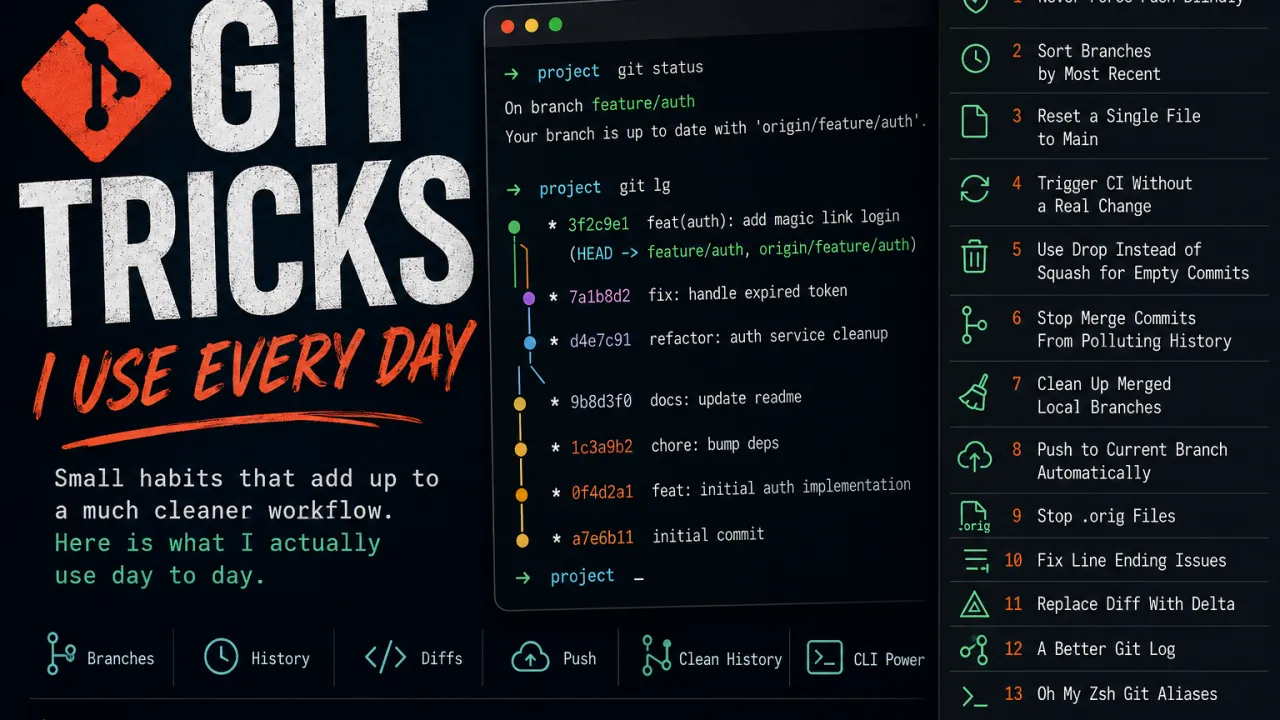
Small habits that add up to a much cleaner workflow. Here is what I actually use day to day.
Never Force Push Blindly
Use git push --force-with-lease instead of git push --force. It refuses to overwrite if someone else pushed to the branch since your last fetch. One flag, prevents a lot of damage.
git push --force-with-leaseSort Branches by Most Recent
Alphabetical branch lists are useless. This shows what you were just working on at the top.
git config --global branch.sort -committerdateReset a Single File to Main
Accidentally changed a file you did not mean to touch? This resets only that file to what it looks like on main. Everything else in your branch stays untouched.
git checkout main -- a.txtTrigger CI Without a Real Change
Pipeline failed for a flaky reason and you just need a rerun? This creates a commit with no file changes, just enough to push and kick off a new run.
gc --allow-empty -m "ci: rebuild"Note: gc is my Oh My Zsh alias for git commit -v, more on that below.
Use Drop Instead of Squash for Empty Commits
I used to remove empty rebuild commits by squashing them, then manually editing the final commit message to remove the noise. Recently I realized drop is the right tool. In interactive rebase, mark them as d and they disappear completely. No message cleanup needed.
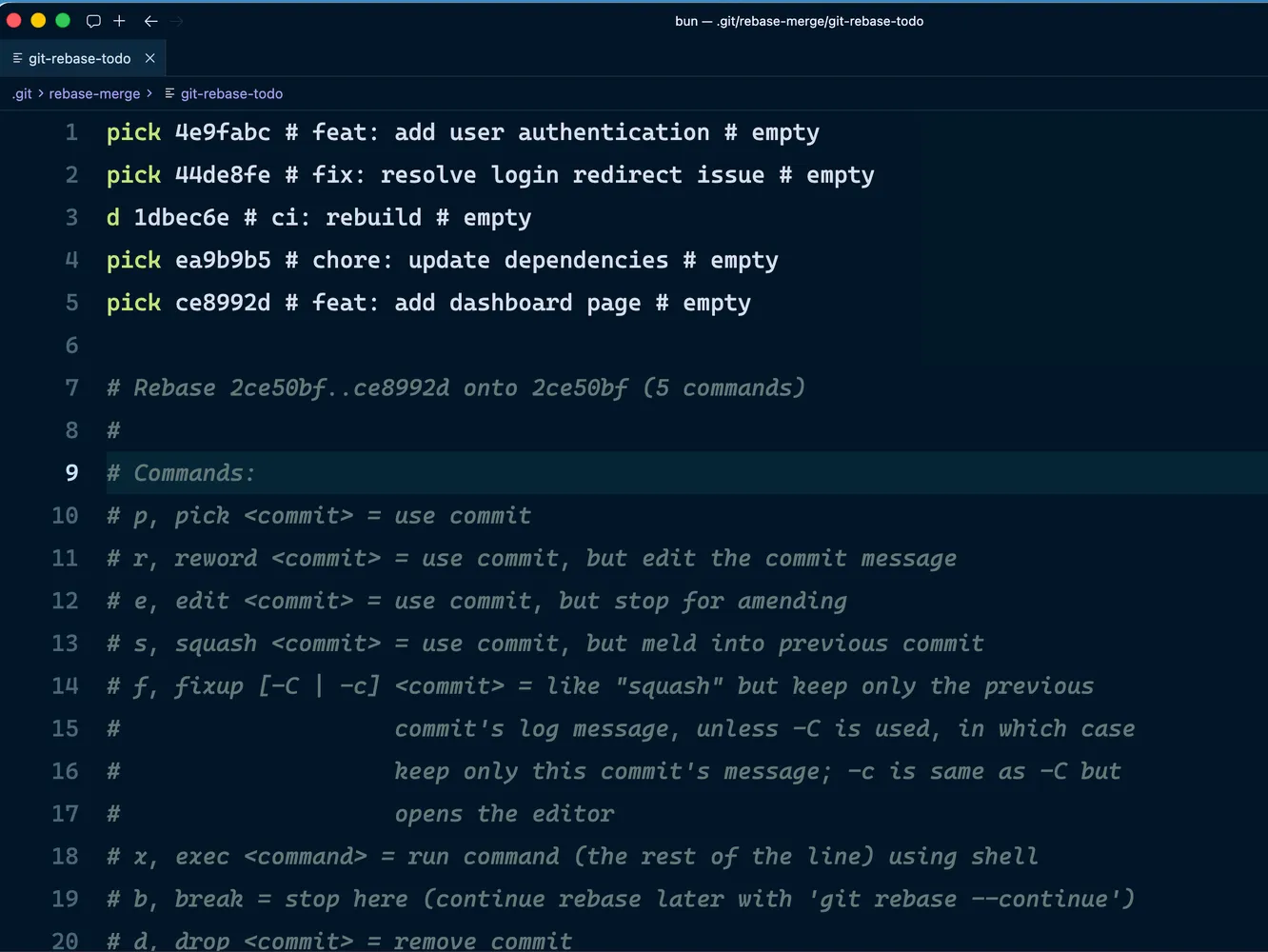 git rebase example
More details: git-rebase interactive mode
Stop Merge Commits From Polluting Your History
Stops accidental merge commits when pulling. Keeps history linear.
git config --global pull.rebase trueMore details: Merging vs. Rebasing
Clean Up Merged Local Branches
After merging PRs, local branches pile up. This one-liner deletes all that are already merged. Run it after every sprint.
git branch --merged | grep -v "^\*\|main\|master" | xargs git branch -dPush to Current Branch Automatically
No more “fatal: no upstream branch” errors. Git will create and track the remote branch automatically on first push.
git config --global push.default current
git config --global push.autoSetupRemote true
Stop Git From Littering .orig Files After a Merge
By default git keeps a backup of every conflicted file after resolving a merge. This turns that off.
git config --global mergetool.keepBackup falseFix Line Ending Issues on Cross-Platform Teams
Normalizes line endings on commit without touching what gets checked out. Saves a lot of noisy diffs on teams mixing Mac and Windows.
git config --global core.autocrlf inputMore details: Configuring Git to handle line endings
Replace Diff With Delta
The default git diff output is hard to read. Delta adds syntax highlighting, line numbers, and side-by-side mode. Use n and N to jump between diff sections while reviewing.
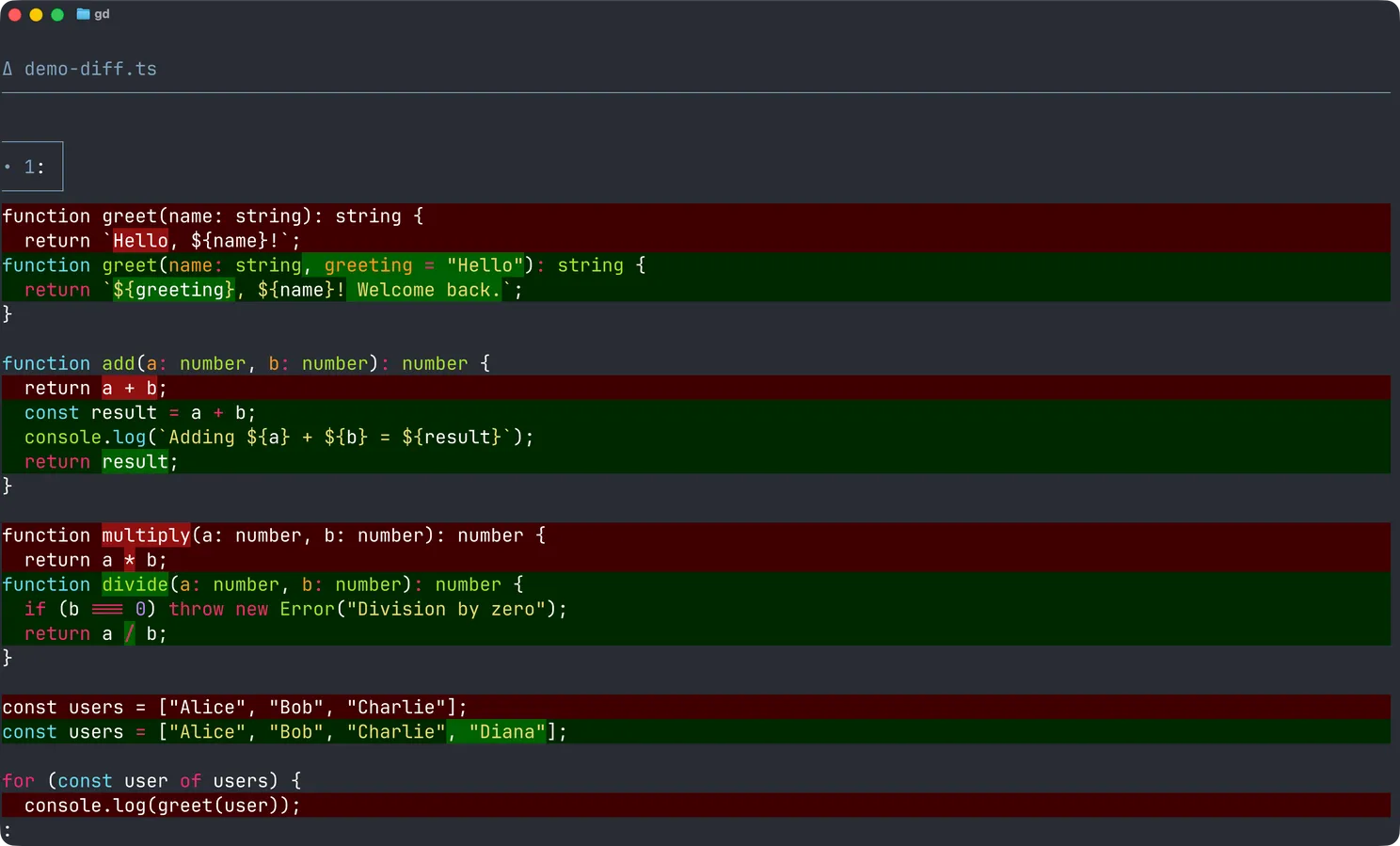 git diff after using Delta
git config --global core.pager delta
git config --global interactive.diffFilter "delta --color-only"
A Better Git Log
git lg gives you a coloured, graphed commit history that is actually readable.
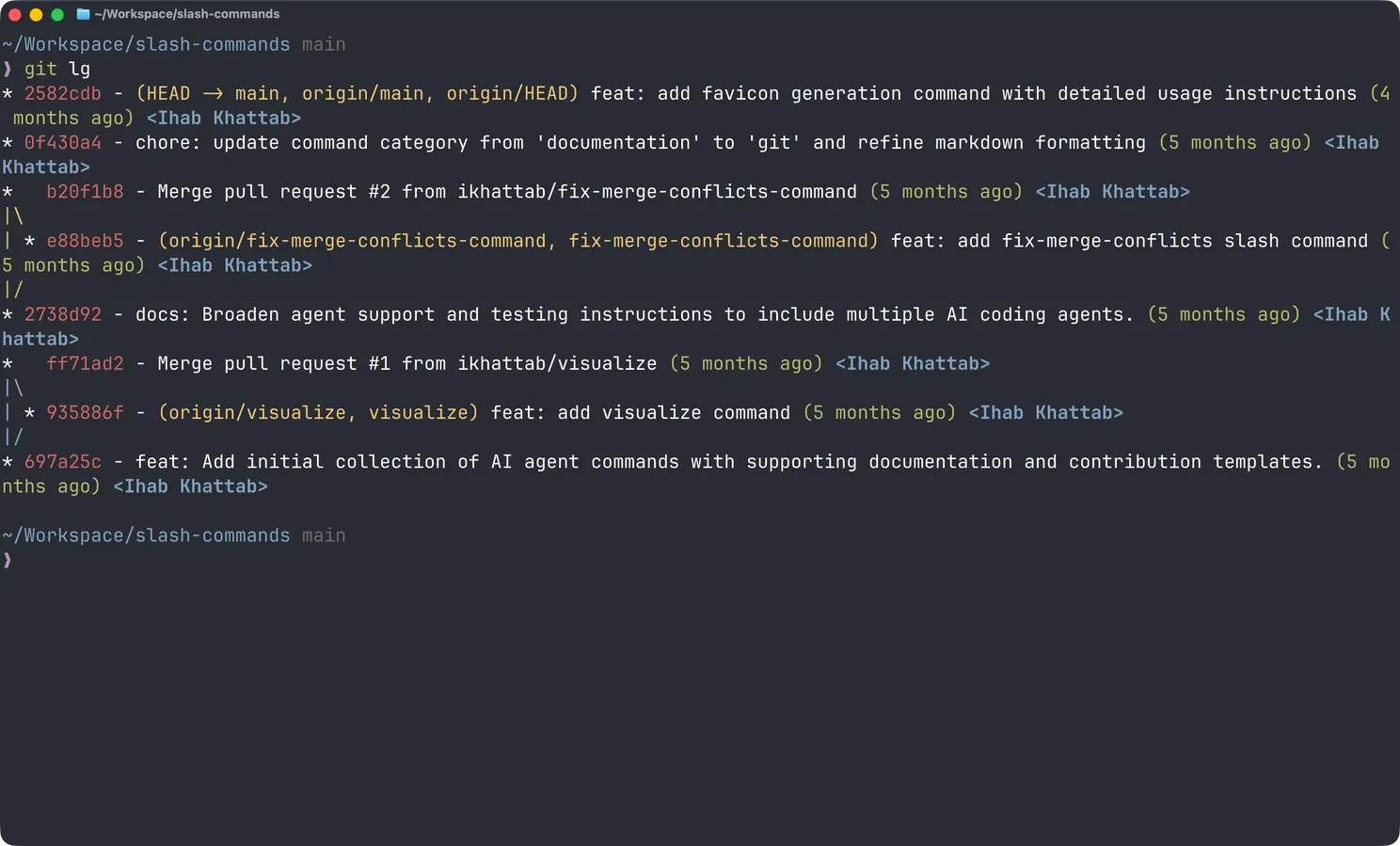 git lg
Oh My Zsh Git Aliases
Most of my short commands come from the Oh My Zsh git plugin. The ones I use constantly:
ga .=git add .gc=git commit -vgco=git checkoutgpf=git push --force-with-leasegpf!=git push --forcegd=git diffgb=git branch
gc is worth calling out specifically. It opens your editor for the commit message but also shows the full diff below it, so you can see exactly what you are committing while you write the message.
Which of these did you not know about?